Looking for the best AI note takers for Zoom?
At Plaud, we design AI note takers for a living, and we’ve tested dozens of tools to find the ones that work best on real Zoom calls.
One thing we learned is that you can’t use just any old note-taker for Zoom.
It has a lot of quirks: The audio is compressed, speakers overlap, and echo is handled in very specific (and techy) ways.
Tools built for Zoom know how to capture its audio cleanly, and during our testing, we got much better meeting transcript quality and better speaker separation from Zoom-specific tools.
Even if you’ve had good results with a note taker for meetings in the past, it may not be the best note taker for Zoom.
Anyways, let's get to the review. We based our reviews for each on accuracy, usability, and how well they fit into real workplaces.
Here are our top picks for the best AI note takers for Zoom:
-
Plaud: Best for highly accurate Zoom notes with AI transcription and summaries
-
Zoom AI Companion: Best note taker already integrated into Zoom
-
Tactiq: Best for Chrome users who want real-time Zoom transcription
-
Bluedot: Best for video highlights (as opposed to written notes)
-
Krisp: Best for recording in noisy environments
-
Fireflies: Best for in-depth meeting analysis and CRM integrations
-
Otter: Best for large organizations with remote staff
-
Fathom: Best free Zoom note taker with unlimited transcription and notes
-
Fellow: Best for generating content based on meeting notes
-
Jamie: Best for bot-free online meeting recording
Table: The Best Note-Takers for Zoom
In case you're in a hurry, we've put the most important information about each Zoom note-taker in the table below:
|
Product |
Price |
Choose if… |
Skip if… |
|
Plaud |
$269 AUD one-time price for hardware. $33.33 AUD/mo for unlimited transcription. |
You want accurate, searchable Zoom notes without bots, customizable summaries, and strong security |
You need a web-only integration inside Zoom |
|
Zoom AI Companion |
Included with Zoom workplace accounts ($13.33 - $18.33/mo) |
You already pay for Zoom |
You want real-time transcripts or free plans without paying for Zoom |
|
Tactiq |
Free plan includes 10 transcripts per month $16.67/mo for unlimited transcripts |
You use Chrome and want an extension-based note taker |
You use Firefox or Safari (or you want an actual tool and not just an extension) |
|
Bluedot |
$14 - $20 a month for unlimited meetings |
You want to capture video highlights from meetings |
You want a free plan or an affordable starter plan |
|
Krisp |
$8 - $15/mo |
You want clean audio in noisy environments |
You want to customize/edit your notes |
|
Fireflies |
$10 - $19/mo |
You need to integrate CRM workflows |
You’re looking for a simple, intuitive UX |
|
Otter |
$19.99/mo for unlimited meetings |
You need easily searchable transcripts across calls |
You don’t like bots interrupting meetings |
|
Fathom |
Free plan includes unlimited transcription and AI recordings $16/mo for advanced tools and integrations |
You want a budget note taker for a single user |
You use Android, or you need features for remote teams |
|
Fellow |
$15/mo for unlimited notes and recordings |
You want advanced features for project management and CRM |
You need a user-friendly tool for transcripts and summaries |
|
Jamie |
€47/mo for unlimited meetings |
You want bot-free Zoom note taking |
You want an affordable AI note taking tool |
How We Created This Zoom Recorders Review
To create this review, we focused on note-takers that worked well on real live Zoom calls (either our own or based on reviews). That meant looking closely at how each product handles Zoom’s audio, pacing, and speaker dynamics.
Here’s what we evaluated:
-
Transcription accuracy: This was priority #1. We made note of how well it handled overlapping speakers, accents, and less-than-perfect Zoom audio.
-
Summary quality: Then, we checked whether it could reliably extract key insights, such as pulling out decisions, action items, and key points.
-
Zoom compatibility: We also heavily weighed things like native integrations, browser extensions, or bot-based approaches (and how intrusive they are).
-
Privacy and security: We made sure to check for privacy and security such as storage protocol and certificates.
-
Ease of use: We also evaluated how quickly someone could get useful notes without heavy setup or training.
-
Pricing and free plans: And lastly, of course, we looked at how much it cost. Especially, what you get before hitting a paywall.
We’ll go into more detail on these points in our reviews of each note taker in the next section.
What Are the Best AI Note-Takers for Zoom?
The following tools are the best note takers for Zoom. They record Zoom meetings, generate transcripts, summarize meetings, and take notes so you can focus on the discussion.
Below, we break down who each tool is for, how they stand out, and where some fall short.
Plaud

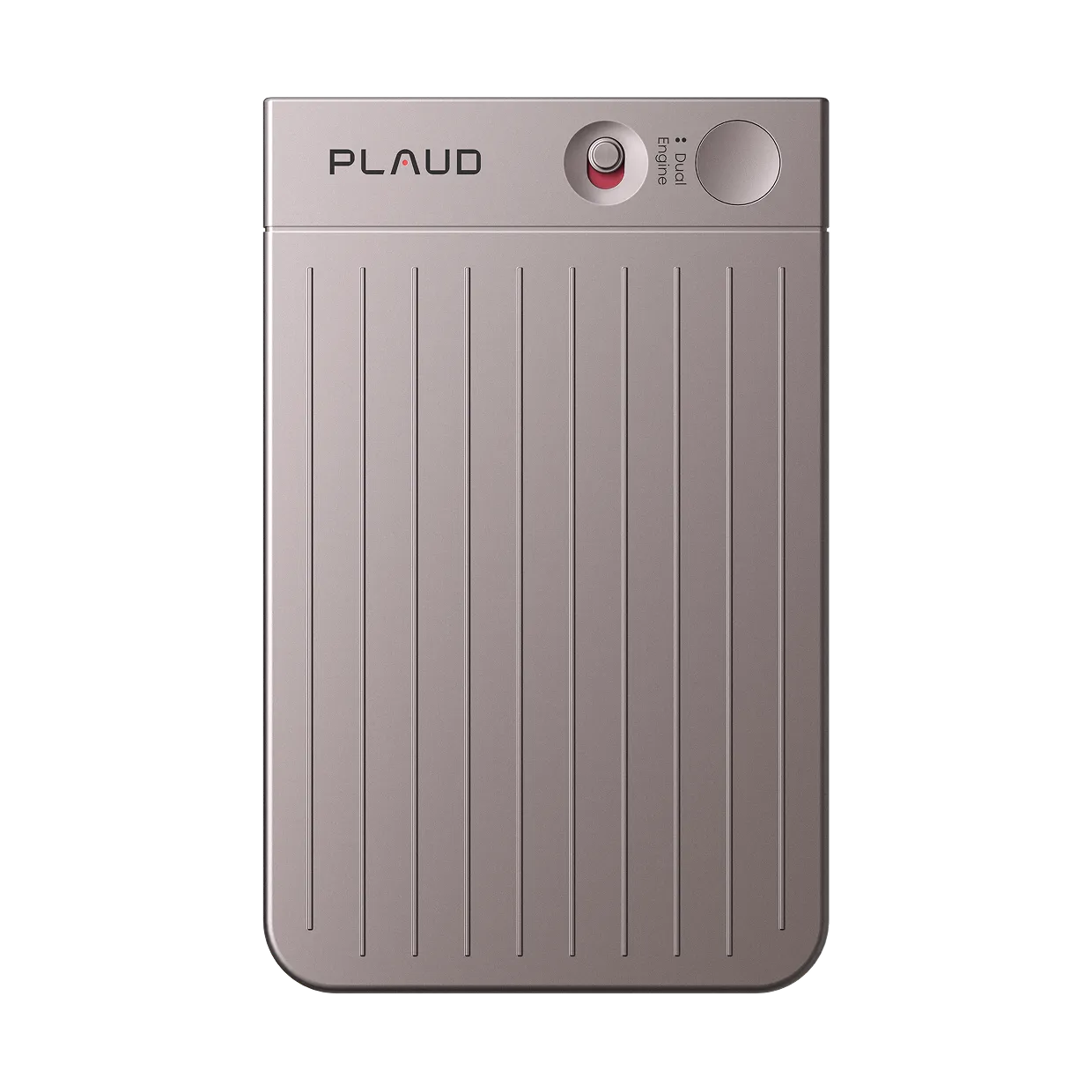
Plaud is a physical AI note-taking device for Zoom meetings, in-person conversations, phone calls, field recordings, and more. After recording, the Plaud app transcribes audio and generates automated summaries and structured notes.
Plaud is not Zoom-native, but the output quality more than makes up for that. Since it’s a hardware device with high-quality mics, you get way better audio quality than you would with any browser-based tool.
We recommend Plaud for teams that want accurate Zoom notes without relying on Zoom-native bots or browser extensions.
It’s the most versatile tool on this list by far (and we aren’t just saying that!), and it achieves up to 98% transcription accuracy. That makes it a good alternative to tools like Jamie or Fireflies if you care more about accuracy, summaries, and long-term organization than real-time captions.
It’s especially useful if you need to edit notes or customize your output. Plaud’s template library contains 10,000+ summary templates, or you can build your own custom template to fit compliance or branding requirements. It also has multimodal inputs, so you can add images (slides, photos, etc.) to your notes.
Note: Plaud is used by 1.5 million professionals worldwide. It’s by far the most popular physical AI note-taker device and meeting recorder. One of its most popular use cases is recording calls for customer success teams. Companies around the world use it to record customer calls, get detailed transcriptions, and turn them into notes or training materials.
There's also a wearable AI note-taking version called the Plaud NotePin if that's what you're after.
Key features
-
Hardware-based recording option (no Zoom bot)
-
Long battery life (30 hours continuous recording and 60 hours standby)
-
Dual mic setup with noise reduction
-
Records Zoom meetings, live conversations, and phone calls
-
Automatic summaries, action items, and structured notes
-
Searchable notes and transcripts
-
10k+ template library for different meeting types
-
AI chat for easily searching notes
-
Strong privacy and security certifications
-
Multimodal inputs
Plaud Pros
-
Up to 98% accurate transcripts and summaries
-
No visible bot joining Zoom calls
-
Custom note organization and templates
-
Works beyond Zoom, not platform-locked
-
Generous free plan includes all AI features and 300 minutes transcription/mo
Plaud Cons
-
Not a live, in-meeting Zoom note-taker
-
Hardware purchase required
Pricing
-
$269 AUD one-time device cost
-
Free plan: All AI features and 300 transcription minutes per month.
-
Pro plan: $33.33 AUD for unlimited transcription
Zoom AI Companion

Zoom AI Companion is Zoom’s native AI meeting notetaker. It’s built for teams that already live inside Zoom and want notes without adding another third party app to the stack.
Because it’s native, it has direct access to the meeting context, which helps with basic summaries and action items.
You’ll love how easy it is if you’re not too tech savvy.
There’s no setup, no browser extension, and no bot to invite. That’s convenient, especially if you already pay for Zoom Workplace (it’s not available to free users). But it’s not very flexible. If someone sends you a Google Meet link, you’re out of luck. This lack of flexibility is why it’s not #1. We (and many others) find it frustrating when trying to do work meetings using it for this reason…and the audio quality isn't amazing.
Key features
-
Zoom’s native note taker
-
Automatic meeting summaries and action items
-
In-meeting AI assistant and post-call recaps
-
No bots, extensions, or external apps required
-
Tight integration with Zoom recordings and chat
Zoom AI Companion Pros
-
No extra tools to manage
-
Easy for teams already on Zoom
Zoom AI Companion Cons
-
Requires a paid Zoom plan
-
Limited customization and formatting
-
Less depth than dedicated AI note-takers
Pricing
-
Included with paid Zoom Workplace plans (not available as a standalone free tool)
Tactiq

Tactiq is a bot-free meeting assistant for real-time transcription. It promises fast, searchable summaries and transcriptions for teams who don’t want to wait for their meeting notes.
For individuals or small teams that want browser-based Zoom transcription, it’s just about perfect. The cool thing about Tactiq is that it runs as a Chrome extension, so it captures captions directly in the browser while the meeting is happening.
This makes it fast and easy to use, but you sacrifice the versatility of tools like Plaud, which can record in any environment. Tactiq really only works on Chrome-based browsers. There’s no standalone app, mobile app, or offline mode, and that can start to feel really limiting as you grow.
It’s a good choice for simplicity, but it’s not flexible for taking notes outside of Chrome.
Key features
-
Browser-based Zoom transcription
-
AI generated reports and action items
-
Easy export to Google Docs and other tools
-
Works across Zoom, Google Meet, and Microsoft Teams
Tactiq Pros
-
Live transcription during Zoom calls for real time insights
-
Fast and simple
-
No bot joining the meeting
-
Quick setup with minimal friction
Tactiq Cons
-
Chrome-only experience can feel limiting
-
Free plan is pretty useless
Pricing
-
Free plan: 5 AI credits a month (basically useless)
-
Team Plan: $16.67/mo for unlimited AI features and transcription
Bluedot

Next up, we have Bluedot.
If you need to capture detailed visual content (like video) along with your notes, you’re going to love this AI note taker. It's also got amazing web design and an awesome color scheme (we're jealous!).
Bluedot is an AI meeting tool that captures Zoom videos and turns them into highlights, summaries, and key insights. It works best for teams that need video and audio to accompany traditional text-based summaries.
Like other AI tools, it records Zoom meetings and generates transcripts and notes, but it also captures clear video. This is useful for meetings that involve visual aids or that happen on-site, such as product reviews and internal walkthroughs. It also makes it a lot easier to identify exactly who said what.
Bluedot is great for capturing lots of context, but it doesn’t allow you to do much with your notes. Another downside is that it has more limited editing options and advanced features than other tools.
If you want to see exactly what happened during meetings, then get Bluedot. But if you want more control over your notes, action items, and summaries, Plaud is a better choice.
Key features
-
Video highlights and shareable clips
-
Zoom call recording with visual context
-
AI generated summaries, transcripts, and actionable insights
-
Browser-based capture
Bluedot Pros
-
Strong focus on video and visuals
-
Bot-free meetings
-
Easy to share key moments
-
Helpful for slide-heavy meetings
Bluedot Cons
-
Less emphasis on detailed written notes
-
Not ideal for text-first workflows
-
Free plan is extremely restrictive
Pricing
-
$14/mo for unlimited meetings with audio
-
$20/mo for unlimited meetings with video
Krisp

Krisp is an AI note taker for advanced audio controls like noise cancellation, voice isolation, and accent conversion.
Note taking is not really its primary function, but it still did a good enough job to make this list. It only offers basic transcripts, summaries, and notes, so don’t expect any advanced features like customized summaries, searchable notes, or deep CRM integrations.
It’s more for cleaning up audio, but clean audio can contribute directly to transcript quality. For instance, some AI note takers have a hard time with accents. Krisp converts accents for better listener and AI comprehension.
If your Zoom notes are unreliable because of noisy environments, multiple speakers, or thick accents, Krisp can help. Just don’t expect any mindblowing summaries or action items.
Key features
-
Real-time noise and echo cancellation
-
Works directly with Zoom and system audio
-
Improves mic input for clearer speech
-
Accent conversion
Krisp Pros
-
Improves Zoom audio quality
-
Helps other note-takers produce better transcripts
-
Easy to use and platform-agnostic
Krisp Cons
-
Not a feature-rich AI note-taker
-
Limited integrations and storage
-
No free plan (just a free trial)
Pricing
-
Pro Plan: $8/mo includes 60 min per day accent conversion and 5 GB storage
-
Business Plan: $15/mo includes 4 hrs per day accent conversion and 30 GB storage
Fireflies

Fireflies is a bot-based AI meeting assistant that records Zoom calls, transcribes them, and turns them into searchable notes and insights (you’re probably thinking that most of these AI tools do more or less the same thing…and yes, you are right).
Fireflies' claim to fame is that it offers a better free version than most other tools. That is mostly true. Their plan comes with unlimited transcription and 800 minutes of storage per month, per seat (wow, nice!). The AI features on the free plan aren't world-breaking, but you can really do a lot on this plan.
If you’re willing to pay, you get a lot more tools, like expanded notes, soundbites, video recording, and lots of integrations.
One thing we don’t really like, though, is that Fireflies comes with tons of limits, even on paid plans (that just rubs us the wrong way). Recording limits are low, and users are given AI credits, which are easy to burn through. That can cause embarrassing issues when your talk time gets cut short.
Limits like these are common in software-based AI note taking platforms. If you don’t like it, get a tool with zero limits.
Key features
-
Automatic Zoom meeting recording via bot named “Fred”
-
Searchable transcripts and AI summaries
-
Action item and topic detection
-
Integrations with CRMs and collaboration tools
-
Video and audio recording
-
Multi-langauge mode
Fireflies Pros
-
Strong transcription and post-call insights
-
Lots of integrations
-
Solid free plan
Fireflies Cons
-
Bot visibly joins meetings
-
Can feel complex for simple note taking
-
Lots of limits, even on paid plans
Pricing
-
Free plan: Unlimited transcription and 800 minutes of storage per month
-
Pro plan: $10/mo for unlimited AI summaries and 8000 minutes of storage per month
-
Business plan: $19/mo for unlimited storage per month
Otter

Otter is probably the most popular tool for real-time transcription and note taking during online meetings. Everyone knows it...or so it seems.
It’s a solid choice for teams that want dependable Zoom transcription and a massive archive of searchable meeting notes.
However, it has got some flak for being a bot-based note-taker. The OtterPilot bot has been called intrusive, and in 2025, a class action suit claimed that Otter AI secretly recorded private work conversations.
We’re not saying Otter isn’t trustworthy. It’s on this list, after all. We think it’s still super useful for recurring meetings, interviews, and team syncs where you need to search past conversations. But if you work in a field dealing with sensitive data (such as medicine), you may want to look elsewhere.
For a full comparison, please see our article on Plaud vs. Otter to see where our note-taker i