Skip to content
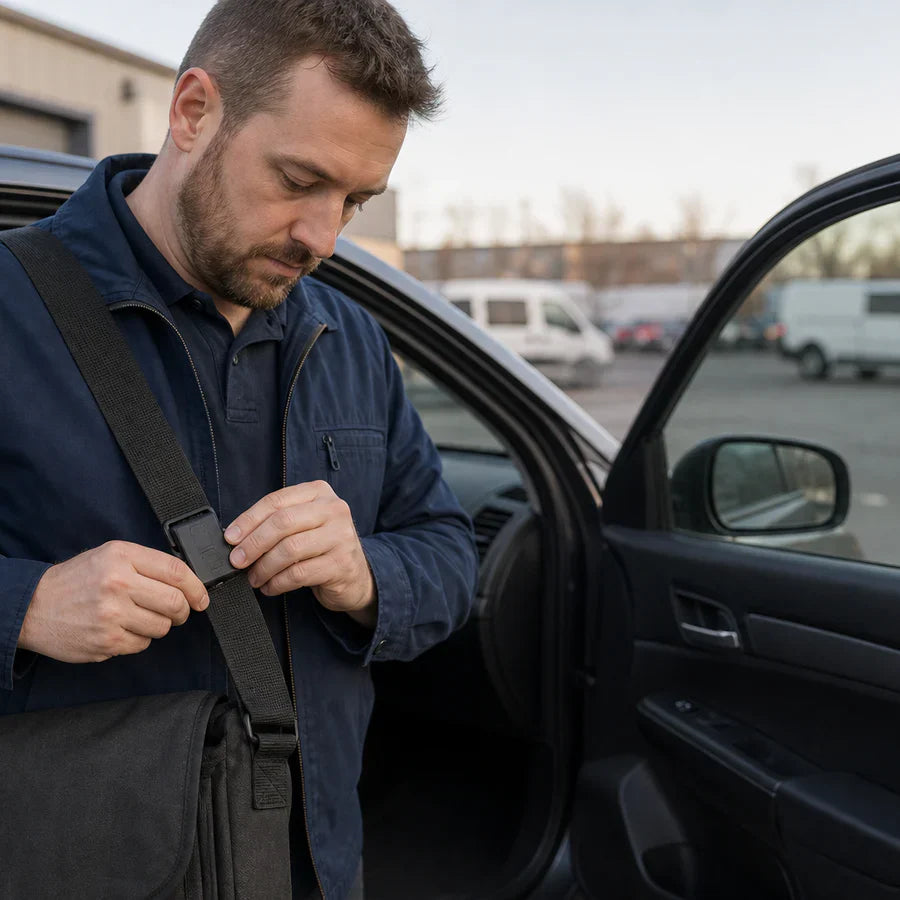
Plaud NotePin S worn on a strap for hands-free recording

How to Record Hands-Free with a Voice Recorder

Step-by-step guide to true hands-free recording with wearable devices that require no holding, tapping, or voice commands.

Hands-free recording · How-to guide

How to record hands-free with a voice recorder

Hands-free recording means the device runs without you holding it — not just voice-activated, but physically detached from your hands for the entire session. Most phone-based solutions still require you to unlock, tap, or shout a command partway through. A wearable recorder removes that dependency entirely.

Plaud NotePin S wearable AI recorder clipped to a lanyardBest for hands-free use

Quick answer

How to record with an AI Voice Recorder- 4 steps

Attach once before the activity; no hands needed after that.

1. Attach the recorder before the activity starts

Clip it to a lanyard, wristband, collar, or magnetic pin. Once attached, your hands are free for the rest of the session.

2. Press once to start recording

Long press the physical button to begin. No screen to unlock, no app to open, no voice command to speak.

3. Carry on with the activity

The recorder captures audio continuously while you present, drive, walk, or work. A short press highlights a moment you want to find later.

4. Review the AI transcript after

Upload the recording to Plaud Intelligence for transcription and summary — no manual note-taking required.

See full method comparison ↓

Methods

Four ways to record without holding a device

Compared on whether hands remain free throughout, audio quality when the device is not in hand, and setup required per session.

Phone held in hand

Standard approach — record with Voice Memos or a third-party app while holding the phone.

Hands-free
No
Audio quality
High
Setup per session
Low

Phone on a stand or desk

Place the phone at a fixed position and let it record. Hands free physically, but audio degrades when the speaker moves away.

Hands-free
Partial
Audio quality
Medium
Setup per session
Medium

Voice assistant (Siri / Hey Google)

Start recording with a voice command. Requires shouting a trigger mid-activity; activation is inconsistent in noisy environments.

Hands-free
Partial
Audio quality
Medium
Setup per session
Low

Wearable AI recorder (Plaud NotePin S)

Clip to lanyard, wristband, or collar. Mic travels with the wearer; one physical press to start.

Hands-free
Yes
Audio quality
High
Setup per session
Low

Based on common recording scenarios and Plaud product data. Always follow local consent rules before recording others.

Tips

What makes hands-free recording good

True hands-free recording depends on four qualities: the device stays put without being held, the mic stays close to the speaker regardless of movement, starting requires no screen interaction, and the battery outlasts the activity.

Device stays positioned without being heldThe recorder needs to be worn or fixed, not carried. NotePin S attaches via clip, lanyard, wristband, or magnetic pin — all four accessories are included in the box.
Mic stays close to the audio source regardless of movementA phone on a desk records at a fixed distance. A wearable recorder moves with you, keeping the mic close. NotePin S has a 3-meter pickup range and stays within that range when worn.
One-press start without looking at a screenUnlocking a phone or speaking a command interrupts what you are doing. NotePin S starts with a long press of a physical tactile button — no screen, no voice command needed.
Battery that outlasts the activityRunning out of charge mid-session means losing the recording. NotePin S records up to 20 hours continuously on a single charge, with 40-day standby.

Featured Blog Posts & Updates

Silver Plaud Note Pro VS heypocket AI voice recorders.

Why professionals choose Plaud over other AI voice recorders

In this comprehensive comparison, we put our Plaud devices head-to-head against another AI voice recorder on the market to see which one comes out on top. We'll compare features, pricing, reputation, usability, and more. We know we are biased, but read the full article and decide for yourself.

Read more
Real estate agent showing property details on a laptop to a client at a kitchen counter

CRM for real estate: 7 options compared for 2026

Seven CRM options for real estate compared on price and fit, what free tiers cover, and how to keep client records current after every showing.

Read more
Real estate agent reviewing blueprints and a laptop at a desk

Real estate software: the 6 layers and what they cost

Real estate software for agents broken into six layers, with 2026 prices, overlap warnings, and what a working stack costs per month.

Read more


