Welcome to our ranking of the best AI note taking devices of 2025.
If you've ever left a meeting unsure of what was agreed upon or missed half your lecture because you couldn't write fast enough, AI note takers are just what you need.
These innovative tools listen to conversations and translate them into organized, searchable notes without you having to do anything. The problem is figuring out which one works best for your specific use case - whether that's making business calls, collaborating with teammates, or studying more effectively.
We took the top AI note taking apps on the market and pitted them against each other. Then, we evaluated each based on different features like accuracy, usability, pricing, and added features like AI summaries or automated meeting notes.
There is no single “best AI note taker.” There’s only what’s best for your situation. That’s why we’ve divided them into categories, such as "wearable devices" or "note taker for meetings.”
Feel free to skip down to whichever category suits you best.
Ready? Let’s get started.
What Are The Best AI Note Takers for Each Use Case?
Here are the best AI note taking tools based on different use cases, such as meetings, education, or personal use:
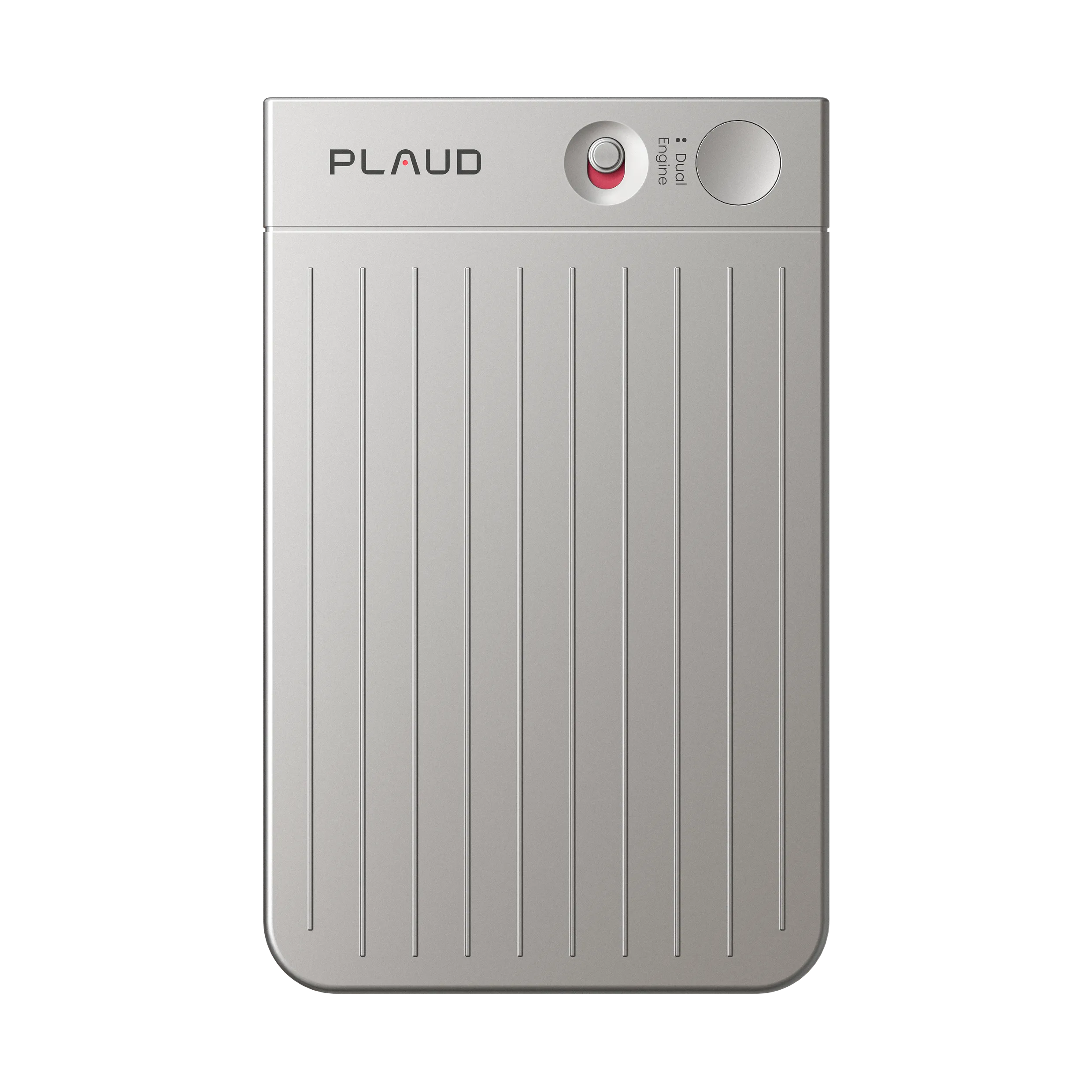
- Plaud Notepin: The best wearable notetaking device. We recommend Plaud Notepin for business meetings, healthcare or legal professionals, or students who need a lecture recorder. Anyone who needs a discreet note taker for face-to-face conversations will love this device.
- Fireflies.ai: The best tool for recording online meetings and creating simple, searchable transcripts.
- Krisp AI: Ideal for remote teams that need crystal-clear audio quality and a high-quality AI meeting assistant.
- Notion: An extremely convenient note-taking app IF you’re already using the Notion platform. If you need a full team collaboration platform that comes with a note-taking device, Notion is for you. There's even a built-in AI chatbot. You can ask it questions and get quick answers back.
- Monday.com: This is the best option for you if you’re looking for an AI project management tool for teams.
- Obsidian: The perfect AI note-taking app for students. Build a complete database of all your notes, link them together, and become the best version of yourself. The free plan is all you need, but you can upgrade to a paid plan to get enhanced features like cloud sync.
- Craft: This app is for creatives, including writers, authors, photographers, and artists. This one app gives you the power to write, plan, organize, and share in one place.
- Apple Notes: A quick and easy “do it all” app for people already familiar with iOS. If you want to use multiple Apple products, this is the app for you.
- Google Keep: 100% free. 100% easy. Google Keep is a free AI note-taker that lets you produce color-coded notes for text, audio, and even photos or videos. It works on any device with an internet connection.
- Plaud Note: We recommend this device for recording business meetings online or telephone calls, creating organized meeting notes or meeting summaries, and storing information for a later time. If you need an AI device with enhanced accuracy, security, and compliance, this is it.
What Are AI Note Takers And How do They Work?
AI note takers are tools that automatically record, transcribe, and summarize conversations in real-time. They’re popular among busy professionals and students who need accurate notes quickly along with insights. AI note taker apps have proven to be much faster and more accurate than manual note taking.
They work by capturing audio through a microphone (either in an app or a dedicated device), then using speech recognition technology to convert spoken words into text. Most achieve 85-95% accuracy under clear conditions.
After transcription, they use natural language processing to analyze the content and extract key information like key points, decisions, and discussion topics. Many can identify different speakers or analyze user sentiment. Some AI powered note takers (like our Plaud Note) can even transform your recordings into structured summaries, mind maps, and action items.
According to Fellow.ai, 75% of professionals now use note-taking devices to help reduce their workload and improve their services.
Core functions
These tools transcribe spoken words into text through speech recognition technology. Most of them can recognize several speakers, work with background noise, and recognize various accents.
After transcription, many platforms use natural language processing to extract important content. Some are able to auto-label decisions, tasks, and topics of discussion, usually providing templates for quick review.

AI note takers come in two forms:
- Apps: Installed on phones or computers, they use your device's microphone. They're convenient for everyday use and sync across devices.
- Dedicated Devices: Hardware like the Plaud NotePin offers longer battery life and clearer audio pickup, especially in group settings or offline environments.
There’s no “ideal format.” It depends on your job, use case, and budget. You also need to take into account your recording environment and how much transcription quality or battery life matters to you.
We’ll cover all of that in the buyer’s guide at the end of this review. For now, let’s get into the rankings of the best AI note-taking devices for 2025.
The Best AI Notetakers of 2026
Best wearable AI note takers for business meetings
Wearable AI note takers are small, portable recording devices you can clip, pin, or attach to your clothing or accessories to capture conversations hands-free. Unlike phone apps, these are dedicated hardware devices designed to be worn throughout your day.
They’re especially popular with doctors, nurses, and therapists, who are constantly on the move and need to take notes without a big, intrusive device making things awkward.
The tools in this category are specifically designed for workplace environments where you need reliable transcription, seamless platform integration, and features that help turn your meetings into actionable outcomes.
Plaud NotePin - Wearable AI note taker

The Plaud NotePin is the best hardware device for AI transcription for a few reasons.
We know we are biased, but nearly 1.5 million busy professionals use Plaud for its simplicity, accuracy, and pre-made note templates that automatically organize your AI meeting notes and save you countless hours of work.
It's like having a voice recorder, an AI meeting assistant, and a personal secretary all in one device.
If you want to generate notes with Plaud, all you have to do is:
- Clip it onto your shirt
- Record your audio
- Choose a template
- Upload your audio
That’s it. Our AI-powered device handles everything from there. It organizes your thoughts, identifies action items, turns them into a searchable, shareable doc, and can even analyze your notes for you using AI. It’s that easy.
Our wearable voice recorder is ideal for anyone from busy healthcare professionals to customer success teams that need to record training materials. But it's also great for recording internal meetings (Microsoft Teams, Zoom, Google Meet, etc.). Just join the meeting, press the record button, and that's it. You'll get AI-generated summaries, structured notes, and a ton more automatically.
The Plaud NotePin weighs only 0.59 oz. You can easily wear it any way you want and take notes for yourself anywhere, anytime. And if you’re trying to be discreet (like in a clinical setting), it’s so tiny that people will barely notice you’re wearing it.
Our generous free plan comes with plenty of minutes to get you started. All you have to do is buy the device, and you're ready to go.
Key Features:
Powered by Plaud Intelligence: Advanced AI transcription and summarization developed with GPT-5.1, Claude Sonnet 4.5, and Gemini 3 Pro. Plaud AI features multiple professional templates for various use cases and support for 112 transcription languages.
- Versatile wearing options: Necklace, wristband, clip, or pin
- Reliable recording power: 20-hour continuous recording, 40 days standby, 64GB storage
- Unlimited cloud storage: Boost productivity, never lose data
※ The free Starter Plan includes 300 mins/month of AI transcription. Upgrade to the Pro Plan or purchase extra time for additional minutes.
Pros:
- Excellent audio quality that beats most smartphone microphones
- Discrete and professional appearance for client meetings
- No need to have your phone out or apps running during meetings
- Multiple AI model options for different transcription and summary needs
- Premium build quality that feels durable
Cons:
- Requires the Plaud App
Pricing:
- Hardware: $269 AUD
- Subscription: Subscription plans range from a free tier (approx. 300 minutes/month) to a Pro plan with 1,200 minutes/month.
The Plaud NotePin works best for executives, journalists, and healthcare professionals who conduct frequent in-person meetings and want the best audio quality without the hassle of managing apps during conversations.
Fireflies.ai - Advanced meeting intelligence

Fireflies.ai improves meeting transcription by focusing on conversation intelligence and business insights. Instead of just giving you basic meeting transcripts, it analyzes what happened in your meetings and helps you extract valuable information.
All you need to do is sign up, and it automatically joins your video calls (Google Meet, MS Teams, Zoom, etc.) and listens in. Then, it uses advanced AI to transcribe, identify speakers, and provide insight. After your calls, you get searchable meeting recaps.
It doesn’t offer the same advantages as AI voice recorders like Plaud, but if you just want to record your conversations and get post meeting summaries, it’s perfect. The main reason we have it ranked #2 on this list above others is that its free plan is ideal for small businesses. Most other free AI note takers have severe limitations. Fireflies' generous free version gives you 800 transcription minutes and free storage. We hope you don’t have more than 800 minutes worth of meetings every month!
Key Features:
- Fireflies across 60+ languages
- Advanced conversation analytics and sentiment analysis
- Automated action item and decision tracking
- CRM integration with Salesforce, HubSpot, and others
- Custom meeting summary templates
- Advanced search with filters and keywords
- Team performance and participation metrics
Pros:
- Excellent transcription accuracy that consistently outperforms competitors
- Powerful conversation analytics that provide real business insights
- Extensive integration ecosystem with business tools
- Customizable AI summaries that actually capture important details
- Strong security features, including HIPAA compliance options
- Bot can be configured to be less intrusive than other tools
Cons:
- More complex interface that can overwhelm users who just want basic transcription
- Additional AI credit costs add up
- Some users report the bot occasionally missing meeting starts
- Advanced features require learning curve
Pricing:
- Free: 800 minutes storage, basic transcription
- Pro: $10/month (billed annually) - unlimited transcription, advanced search
- Business: $19/month per user - team features, custom summaries
- Enterprise: $39/month per user - HIPAA compliance, advanced security
Fireflies.ai is ideal for sales teams, consultants, and businesses that need to extract maximum value from their meetings. If you’re a small business or start-up, you probably won’t even need to upgrade.
Honorable Mention - Otter AI: Otter AI is a simpler version of Fireflies that has a lot of great reviews around the web. But after digging into both tools, we found Fireflies to be better overall. It was more accurate and had a lot more helpful features, like cross-meeting search and deeper conversational intelligence. The Otter AI chatbot was a bit limited.
We know we are biased, but we just want to say that Plaud has many advantages over both Otter and Fireflies, including better audio and the ability to use industry-specific templates. If you're using your note-taker for work, we highly suggest you read our in-depth guides on Plaud.ai vs. Otter.ai and the best Fireflies alternatives.
Krisp AI - Real-time noise cancellation

Krisp AI started as a noise cancellation tool and has evolved into a full AI meeting assistant, but its core strength remains crystal-clear audio quality.
If you're dealing with noisy environments or want the cleanest possible audio for your meetings, this is your tool. Other apps don't even come close to its level of clarity.
Based on our research, Krisp is most popular among remote teams with team members from different locations who may struggle to hear each other or understand each other’s accents. Multiple reviews even mentioned that it worked great in busy shared offices, cafes, and co-working spaces.
If you’re living the remote life, Krisp is the AI meeting assistant you need to help you record, transcribe, and summarize your meetings.
Key Features:
- Industry-leading real-time noise cancellation
- Bot-free integration with 800+ communication apps
- HD voice quality enhancement
- Real-time accent conversion
- Meeting transcription and summaries
- Works with any conferencing platform through virtual audio device
Pros:
- Absolutely the best noise cancellation technology available
- Works seamlessly without adding bots to meetings
- Integrates with virtually any communication app
- Significant improvement in audio quality for remote teams
- Free tier includes unlimited noise cancellation
Cons:
- Transcription reliability issues with frequent app crashes
- Customer support quality consistently receives poor reviews
- Meeting transcription accuracy isn't as strong as dedicated transcription tools
- Can be overkill if you don't need noise cancellation
Pricing:
- Free: 60 minutes daily noise cancellation, unlimited transcription
- Pro: $8/month (billed annually) - unlimited noise cancellation and transcription
- Business: $10/month per user - admin features, team management
Krisp AI makes the most sense for remote teams in noisy environments who prioritize audio quality over perfect transcription or as a complement to other transcription tools.
Best AI Note Takers for Team Collaboration
Next up, we want to cover our top AI note-taker tools for team collaboration.
If you’re looking for artificial intelligence tools that improve team productivity, you’re going to love the real-time note taking apps we’ve reviewed for you here. The following tools all scored highly in our tests for recording meetings and getting accurate transcripts.
We recommend that you look for tools that integrate into your existing tech stack, provide accurate transcripts, and help organize and analyze your meeting notes. Our advice? Just choose one of the tools that we’ve reviewed below.

Notion AI - All-in-one workspace solution

Notion AI is one of the most popular digital workspaces and project management platforms. Teams of all shapes and sizes use it to manage tasks, create team wikis, and organize notes. There are so many features that we can't even begin to cover them all here.
And now, it also has a built-in AI note taker that automatically records your system audio, transcribes it, and uses AI to generate summaries and key takeaways.
Imagine you’re having a meeting about a task in Notion (wow, this is exciting!). With Notion’s built-in note-taker, you can record and summarize the meeting right inside the app, then store it and share it with your entire team within the platform. And you wouldn’t need to add yet another tool with yet another subscription to your tech stack.
Pretty cool, right?
The AI can even answer questions (and follow-up questions) as well as record live meetings.
Key Features:
- Real-time collaborative editing and commenting
- AI-powered content generation and research mode
- Database automation and smart templates
- Integration with popular business tools (Slack, Google Drive, etc.)
- Custom workflows and project management boards
- Advanced search across all workspace content
- Team permissions and access controls
Pros:
- Incredibly flexible - you can build almost anything your team needs
- AI research mode can analyze your entire workspace plus web sources for insights
- Real-time collaboration feels seamless, like Google Docs but more powerful
- Templates and automation save tons of time on repetitive tasks
- One platform can replace multiple tools (wiki, project management, notes, databases)
Cons:
- Steep learning curve
- AI features only available on expensive Business plan ($18/month per user)
- Can become slow with very large databases or complex pages
- Pricing changes in 2025 made AI much more expensive for smaller teams
Pricing:
- Free: Basic features for individuals, limited collaboration
- Plus: $10/month per user - better collaboration, no AI included
- Business: $18/month per user - includes unlimited AI features
- Enterprise: Custom pricing - advanced security and admin controls
We recommend Notion AI for teams that want to consolidate a bunch of separate tools into one user-friendly workspace. It's particularly popular with tech startups, consultants, and creative teams that need flexible workflows.
Pro Tip: You can connect Plaud with Notion by using a Zapier “Zap.” This integrates your Plaud recordings directly into your workspace.
Monday.com AI - Project management integration

If you’re familiar with Monday.com, then you’ll love its integrated AI assistant. In case you’re not aware, Monday.com is a cloud-based “work operating system” that makes managing your projects, workflows, and daily grind tasks a bit easier.
It’s pretty comprehensive. You can even make custom apps for your marketing and sales ops, too.
Inside of Monday’s suite of tools is an AI notetaking app that automatically joins your calls and transcribes them for you. Now, you’ll be able to integrate note capture with project tracking.
The note-taker itself isn’t very impressive. It just transcribes the meetings and provides some basic key insights (like action items). But the true value comes from integration into Monday’s OS. If you’re already using Monday or need a central workspace for your team, we highly recommend it. If you don’t have Monday, it’s not for you.
Key Features:
- AI-powered task generation and assignment based on patterns
- Predictive insights for bottlenecks and capacity planning
- Automated workflow creation and optimization
- Visual project boards with multiple view options (Gantt, calendar, timeline)
- Advanced reporting and analytics dashboards
- Integration with 200+ business tools
- Workload management and resource allocation
Pros:
- Excellent visual interface that makes complex projects easy to understand
- AI actually learns from your team's patterns and suggests improvements
- Strong automation that reduces manual project management work
- Great for teams that need detailed project tracking and reporting
Cons:
- Can be expensive for larger teams
- AI features require higher-tier plans that many small teams can't afford
- Some users find the interface overwhelming with too many customization options
- Time tracking and advanced features locked behind expensive plans
Pricing:
- Basic: $9/month per user - basic project management, limited AI
- Standard: $12/month per user - automation, integrations, 500 AI credits
- Pro: $19/month per user - advanced features, 25,000 automation actions
- Enterprise: Custom pricing - enterprise security and unlimited AI
We’ll give it to you straight here: Monday’s AI is great IF YOU ALREADY use Monday or if you want to sign up for it. If you’re a massive team that needs the best possible enterprise project management, get Monday and just use the built-in AI note-taking app.
If not, then it’s not for you.
Best AI note takers for students and learning
Students need AI tools that can handle everything from lecture recordings to research papers. And they need tools that also help organize information in ways that actually improve learning and retention.
If you’re looking for a great AI note-taker for lectures or online university classes, these tools are ideal for you. They’re great at taking detailed notes, connecting ideas, creating study materials, and supporting the research process.
Obsidian - Knowledge graph and linking
Obsidian is the best AI note-taker for students based on our research and testing.
Here’s a quick summary of what Obsidian does so well:
This note-taker allows you to create an entire personal knowledge base. You can take notes, add them to your Obsidian database, and then connect ideas with links. You can even visualize how concepts relate to each other using Graph View:

Imagine how valuable this could be for writing a dissertation or research paper?
You could make a separate note for each text you read or video