
AI note takers now cover more than meeting transcripts. For an ADHD tech founder, the useful test is whether a spoken thought recorded away from the desk becomes something the company can use.
You may think through a product decision while walking the dog, dictate a hiring idea after dinner, or record a doctor’s instructions when exact wording matters. Working memory can hold the thread while you speak and lose it when you return to email, Slack, Notion, or research. A long recording can also create a second problem when silence, forgotten stop buttons, and manual export leave the useful idea buried.
This article explains how ADHD founders can turn spoken thoughts, meeting notes, and exact instructions into structured material for company work.
Why ADHD changes what “best” means in spoken notes
For an ADHD founder, the vulnerable point is often the handoff from free-form thinking to structured company work.
A 30–40 minute walk can produce a useful product idea, hiring outline, or project decision. Returning to a laptop adds email, Slack, research, and old notes, so the thought may stay as an audio file instead of becoming a usable brief.
The record also has to preserve the right level of detail. A summary may be enough for a meeting agenda, while a doctor’s instruction or a security decision may require the original wording.
The best AI note taker for this scenario reduces the steps between speaking, finding the right context, and moving verified material into Notion, ChatGPT Deep Research, or a checklist. This remains a workflow comparison, not a clinical claim.
How we tested the founder capture moment
Every option faces the same founder workflow. The founder leaves the computer, records a long spoken thought or an exact conversation, and returns later needing a structured note, research context, or an original quote.
We ask whether the founder can recover the relevant idea or wording by searching, opening a recap, returning to a cue, or jumping to audio. A polished summary does not establish a final decision or preserve an exact instruction.
Then we count start and stop actions, sync and generation waits, search, source review, export, and entry into Notion or research. Silence detection, device, plan, permission, language, and membership limits come after that recovery test.
The minimum usable output after a long recording
| Field | What to check |
|---|---|
| Context | What project, hiring question, meeting, or medical instruction is this about? |
| Key point | What idea, decision, or exact instruction should survive? |
| Next action | What should enter Notion, a checklist, or research? |
| Open question | What still needs checking or a source lookup? |
| Source | Where can you replay or quote the original wording? |
The founder may also record a candidate task or meeting agenda, but the immediate test is whether these fields leave memory and enter a usable system. AI drafts still require source checks.
Quick comparison: can it turn a spoken thought into usable work?
| Option | Recover missing condition | Can externalize now | Still requires the user | Friction |
|---|---|---|---|---|
| Plaud Note Pro | Search a spoken fragment, then open source context. | Structured note, action draft, source. | Confirm context and export to Notion or research. | Start, stop, sync, generate, verify, transfer. |
| Zoom AI Companion | Open enabled recap or transcript. | Summary, next steps, source. | Confirm context and add to the company workspace. | Host may leave no record. |
| Copilot in Microsoft Teams | Ask Copilot or inspect Recap. | Action draft and source. | Confirm context and add to the company workspace. | Retained transcript required. |
| Google Meet “take notes for me” | Read “Summary so far” or Google Doc. | Next-step draft. | Confirm context and move it into Docs or Notion. | Eligibility and review. |
| Apple Voice Memos | Search transcript and jump to audio. | Source, transcript, sometimes summary. | Extract context and write the usable brief. | Full extraction after recording. |
Best AI note takers for ADHD
Plaud Note Pro: best for long-form capture away from the desk
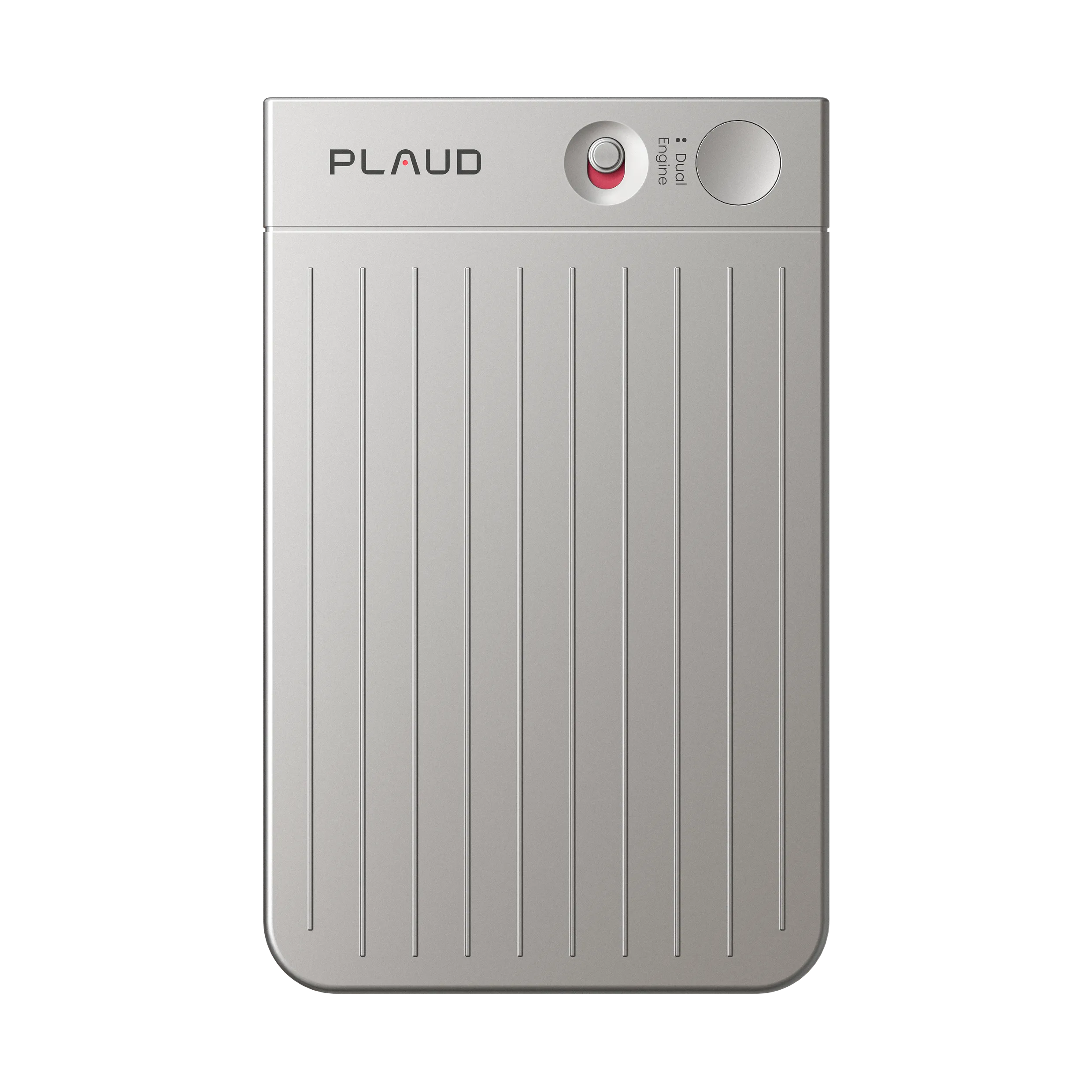
Plaud Note Pro is a physical AI note taker for founders who capture long thoughts away from the desk and need one source for in-person conversations. The owner presses the device button before a walk, meal, or offline discussion, then generates a structured record in Plaud App before moving it into Notion or research.
Pros:
- Same recovery routine across platforms.
- Source beside the action draft.
Cons:
- Bound device and membership required.
Plaud Note Pro can give the founder a summary and action-item draft, plus the source record. It does not decide which thought is a final company decision or which wording should enter the knowledge base. The founder checks the recording, waits for sync and generation, searches or asks, replays the relevant context, verifies the context, and posts the result to Notion or the research workspace.
Plaud Note Pro suits a founder who records during a 30–40 minute walk, leaves the computer for a meal, or needs the original wording from an offline conversation. The remaining burden is remembering to stop, waiting for sync, and exporting the checked result into the company system.
The remaining burden is checking capture and starting verification. Personal access requires an active Plaud membership and a Plaud device bound to the same account.
Zoom AI Companion: best for Zoom-first teams

Zoom AI Companion is a sound choice when the team’s host consistently enables Meeting Summary and transcript access. Instead of reopening a separate note system after a Zoom call, the founder starts with the recap, finds the product or hiring discussion, and reopens the transcript when the summary loses the context or exact wording.
Pros:
- Recap starts in Zoom.
- Transcript verifies a vague summary.
Cons:
- Host may leave no record.
The recap can supply a summary, next-step draft, and transcript source. The founder still confirms the context, intended audience, open question, and source before copying the result into Notion, Slack, or a research prompt.
The ADHD-related risk is having no recovery task to start because the host did not create a record. A participant cannot rely on Zoom AI Companion when host, account, or administrator settings do not make it available.
Use it when the host-controlled record is dependable for decision meetings.
Copilot in Microsoft Teams: best for Microsoft 365 workplaces

Copilot in Microsoft Teams works when a retained Teams transcript is already part of the company’s formal record. The founder asks about a hiring decision, project idea, or open question, or opens Recap, then uses the answer to locate the transcript section that needs checking.
Pros:
- Recap stays in the team system.
- Query narrows a missed exchange.
Cons:
- Needs a retained transcript.
Copilot can give an action draft, Recap, and a transcript source. Instead of copying a recap into a separate note, the founder can inspect the source and move the verified context into the company’s Microsoft or Notion workspace. It still cannot decide which part of a free-form thought belongs in the official record without review.
The residual burden is moving from an AI answer to the transcript, then creating the next task before attention shifts. Teams and Microsoft 365 can keep that work in one place. But if transcription was absent, deleted, restricted, or unavailable, the missed exchange cannot be recovered.
Choose Copilot when the organization reliably retains the record and gives the founder access.
Google Meet “take notes for me”: best for Google Workspace teams

Google Meet’s “take notes for me” helps when the founder notices a missing point before the call ends. “Summary so far” can restore the direction of a product, hiring, or operating discussion while the group is still present. Afterward, the generated Google Doc can give the founder a structured draft in the shared workspace.
Pros:
- “Summary so far” restores context.
- Shared Docs reduce distribution friction.
Cons:
- Source and task checks stay manual.
That draft does not establish the final context, wording, next action, or checkable source. The founder treats it as a prompt to inspect notes, add the source, confirm the details, and move the result into Notion or research. If a point is disputed, the team needs its underlying meeting record rather than treating the note as proof.
This works when follow-up already lives in Drive, Docs, Calendar, and email. Instead of exporting a recap into another archive, the founder opens the shared note and completes what it leaves unclear. The remaining initiation burden is starting that review.
Use it when Google plan, organizer settings, language, and Meet coverage are consistent.
Apple Voice Memos: best free recording baseline
Apple Voice Memos is the baseline for a founder who mainly needs evidence of a spoken idea or exact instruction. If recording and transcription are available, they search a remembered fragment such as “hiring,” “security,” or “care instructions,” then jump from matching text to the audio. Listening to the surrounding exchange is how they preserve the intended meaning.
Pros:
- Search jumps from text to audio.
- Source stays available for verification.
Cons:
- Extraction and task creation stay manual.
The recording gives a searchable transcript, a source, and sometimes a summary. Instead of replaying an entire file, the founder can jump to the relevant audio. It still does not create a verified brief, project context, next action, or research prompt. The founder names the recording, searches, replays, extracts the useful detail, writes the update, and shares it, leaving the full post-recording initiation task intact.
Writing Tools may shorten a summary where Apple Intelligence is available, but it does not remove source review. Voice Memos suits occasional Apple-based recording or avoiding another subscription. It is weak when recordings often pile up before a task or reminder is created.
Device support, transcription language, setup, and participant notice still apply.
Which tool gets this founder to usable work?
If the weak point is long-form thinking away from the desk, Plaud Note Pro gives the founder a physical capture point for walks, meals, and offline conversations. Native assistants work when most thinking stays inside one meeting platform.
With a consistent native record, Zoom, Teams, and Google Meet reduce export work, but the founder still has to fill context, source, and next-action fields.
Choose native notes when the host controls the record and the team accepts that limit.
Native notes work when one platform runs decision meetings and the organization enables the feature, retention, and access. They are poor fallbacks when settings vary.
Choose independent capture when the founder needs the same recovery routine across meetings and walks.
Plaud Note Pro suits long walks, outside calls, and offline thinking away from the computer. It centers a physical recording and a later review in Plaud App. Native assistants suit founders whose work stays inside one platform. All require review before company notes or research are updated.
Recording, privacy, and human review
Tell participants when a meeting is recorded or summarized, then follow applicable rules and your organization’s policy. The right process can differ by location, employer, client relationship, and platform.
Keep a person responsible for the final update. AI can surface a phrase, summarize discussion, or draft a next step. It cannot reliably determine whether a condition was approved or whether the deadline changed later.
Before posting, return to the available source and check the Decision, Owner, Deadline, Dependency, and Open question. If the source is unavailable, label the update as needing confirmation rather than presenting an AI summary as the team’s decision.