Leaving a client visit is a bad moment to rely on memory. For an ADHD sales consultant, the next call, route change, or appointment can erase the client need, the promise you made, and the follow-up trigger before you open a notes app.
Plaud NotePin S is the first option to check if the missed step is immediate, hands-free capture after in-person visits. Plaud Note Pro makes more sense when desk conversations and supported phone-call capture matter too. Apple Voice Memos can be enough when your phone is already in hand. A standard digital recorder is the fallback when you only need dependable audio and have a review routine.
This comparison looks at the recorder as a follow-up tool, not just an audio device: how quickly capture starts, whether recording status is clear, how easy the record is to find later, and how much work remains before the next step reaches your sales system.
How we assessed the recorders
We used one sales transition throughout the comparison: a client conversation ends, and the consultant needs to preserve the client need, their own commitment, the next-contact trigger, and a source they can check later.
- Start friction: how many actions it takes to begin an agreed recording or private recap.
- Recording-state feedback: whether the user can tell the device is actually recording.
- Carry, placement, and reliability: whether the recorder is worn, on the desk, in the phone, and whether audio remains available if sync is delayed.
- Actionable output delay: how much happens before the user can see a transcript, summary, or searchable record.
- Retrieval: whether the user can find a client detail later without a perfect file name.
- Follow-up burden: what still needs source review, promise confirmation, sales-system entry, and clear participant consent.
Quick comparison
| Recorder | Best capture setting | Client conversation or personal recap | What you can retrieve later | Main remaining burden |
|---|---|---|---|---|
| Plaud NotePin S | Mobile, in-person visits | Agreed in-person capture and personal recap | Synced transcript, summary, and search | Check status, sync, verify, add CRM follow-up |
| Plaud Note Pro | Desk, room, and supported phone situations | In-person capture, personal recap, and supported calls | Synced transcript, summary, and search | Select the right mode, then verify and transfer |
| Apple Voice Memos | Occasional phone-first recap | Personal recap, with call recording only where Apple supports it | Audio and searchable transcript where supported | Phone entry, finding the file, extracting the next task |
| Standard digital voice recorder | Audio-first local capture | Agreed conversation or personal recap | Raw audio file | Transcription, retrieval, and follow-up all happen later |
Best AI voice recorders for ADHD
Plaud NotePin S: best wearable for immediate capture
Plaud NotePin S is the best match when the sales consultant’s failure point is getting from “I need to note that” to an actual recording while moving between client visits. As a wearable physical AI note taker, it puts the capture control on the person instead of behind a phone screen.
Pros:
- A wearable control can make an agreed in-person recording or after-visit personal recap easier to start before the next interruption takes over.
- Synced transcript and summary tools can make a remembered client topic easier to find than a folder of unnamed audio files.
Cons:
- It is not a direct phone-call recorder, and it still leaves the CRM decision and task entry with the consultant.
Without a device already worn, the consultant may need to take out a phone, enter it, locate the app, and decide what to say. Plaud NotePin S moves that first action onto the body, so the consultant can begin an agreed in-person capture or dictate the private recap while the client need and their own promise are still available to working memory. After syncing, the resulting record can be searched and reviewed in Plaud App transcript and summary tools.
Treat the AI output as a draft record, not the final client update. The consultant still needs to check the source, confirm whether the promise was final, and create the next-contact task in the CRM. Choose Plaud NotePin S if frequent movement between in-person visits is the core issue. Choose another option if direct call capture is a primary requirement. Notify participants and follow applicable policy before recording a conversation.
Plaud Note Pro: best for desk and phone conversations
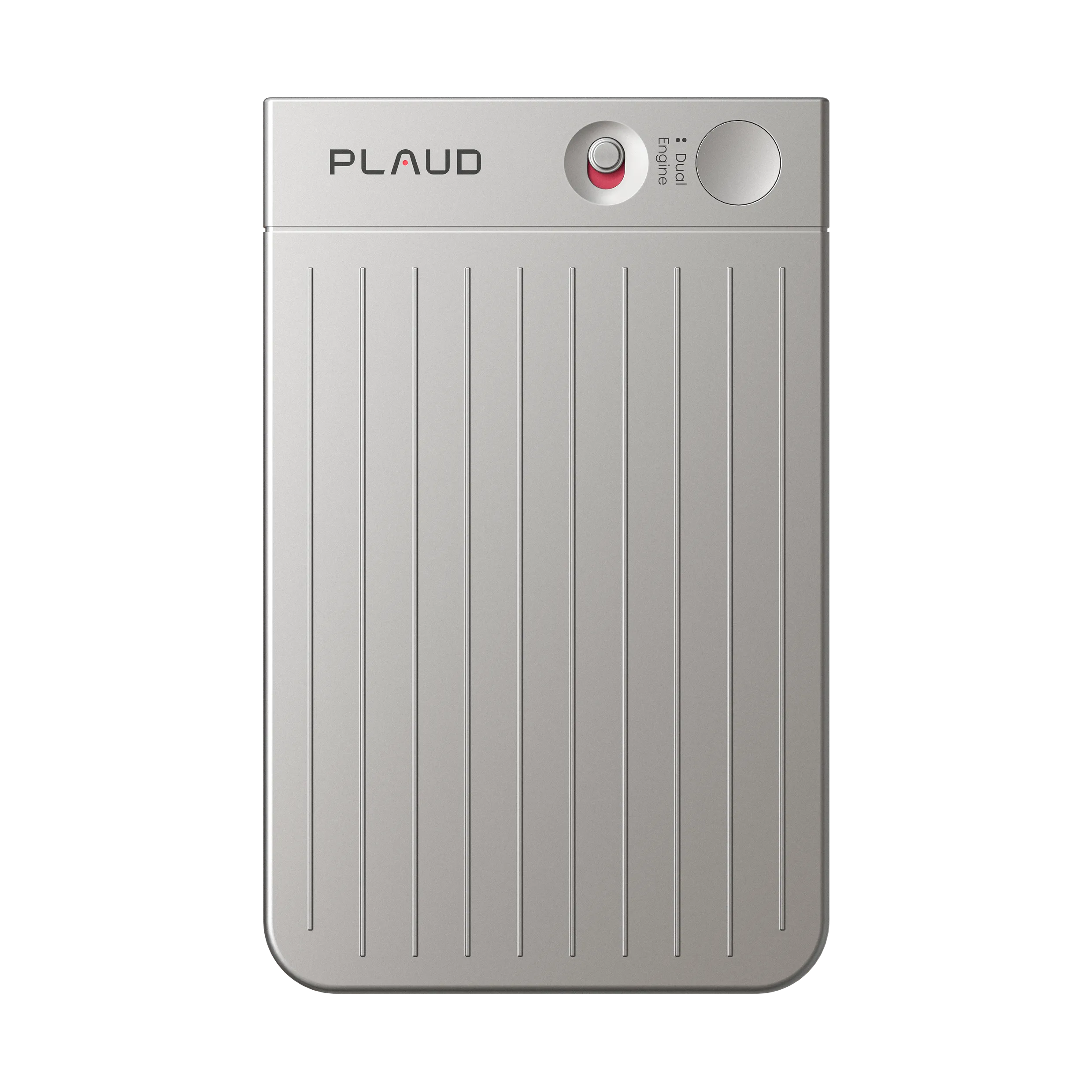
Plaud Note Pro is a physical AI note taker for a consultant whose day moves between a client room, a desk follow-up, and supported phone-call capture. Choose Plaud Note Pro when a wearable-only form would not cover the places where details disappear.
Pros:
- The card-style device can cover an agreed room recording or personal recap without making the phone the only capture entrance.
- Its later transcript and summary give the consultant a source to check before they decide how to word a customer follow-up.
Cons:
- The consultant needs to carry it, select the recording mode that matches the situation, and complete the transfer into the sales system.
A longer room conversation or supported phone situation should not become a memory test hours later. Plaud Note Pro gives the consultant a retrievable record for the request, their commitment, and the trigger for contacting the client again. The consultant still chooses the suitable mode, starts the recording, and checks the synced record before turning it into follow-up.
Mode selection, a recording-state check, sync, and human confirmation are still separate actions. Choose Plaud Note Pro when desk and phone contexts are frequent enough to justify broader handling. It is less compelling when the only recurring gap is a hands-free recap after an in-person visit. Use transparent recording notice and follow local rules.
Apple Voice Memos and call recording: best built-in option
Apple Voice Memos is the best baseline for an iPhone user who records only occasionally and already has the phone out after a visit. It avoids a second device and, on supported devices, languages, and regions, can provide transcription, text search, and a way to jump back to the related audio.
Pros:
- It requires no extra hardware purchase and can be enough for a personal recap when the phone is already being used.
- Searchable transcription, where available, avoids replaying every file from the beginning.
Cons:
- Entering the phone, opening the app, and later locating the recording can still be the exact friction that causes a sales recap to be postponed.
For a consultant with a reliable habit, that trade-off can be perfectly reasonable. Record the private recap, then search by a phrase such as the product, issue, or stakeholder when it is time to create a follow-up. The limitation is the action chain: Voice Memos preserves information, but the consultant still decides what is a client need, checks the source, and creates the CRM task.
Apple’s call-recording feature is separate from Voice Memos. It is restricted by region, language, and system support. It gives participants an audible notice and saves the recording in Notes. Treat it as an option only where it is available and allowed for the call. Verify Apple’s current requirements and your company policy before relying on it for client calls.
A standard digital voice recorder: best for audio-first reliability

A standard digital voice recorder is the sensible non-AI baseline when the main goal is preserving local audio independently of a phone app or cloud processing. It can make sense for an agreed client conversation or a post-visit recap when battery, storage, and raw recording reliability matter more than automated organization.
Pros:
- Local audio can be saved without waiting for an app connection or cloud processing step.
- A dedicated recorder can keep the evidence of the conversation separate from a distracting phone.
Cons:
- It protects the audio but leaves transcription, search, summary, and every CRM follow-up step as later work.
The recorder can preserve the exact wording that needs to be checked. It cannot help the consultant find the relevant moment later unless they have named, transferred, or transcribed the file. Choose a conventional recorder when audio evidence is the priority and there is a dependable review routine afterward. Avoid it if your existing recordings already become an archive you do not reopen.
Wearable vs card recorder vs phone vs digital recorder
The right AI voice recorder depends on where the failure occurs, not on which option has the longest feature list.
| If this sounds like you | Better starting point | Why | Watch for |
|---|---|---|---|
| “I walk out of a client visit and lose the recap before I touch my phone.” | Plaud NotePin S | The capture control stays wearable for an agreed in-person record or private recap. | Sync, source review, and CRM entry still need a return visit. |
| “My day also includes desk conversations and supported client calls.” | Plaud Note Pro | It is better suited to a mix of room, desk, and supported call contexts. | Correct mode selection and transparent recording practice. |
| “My phone is already in my hand and I only record occasionally.” | Apple Voice Memos | No additional device or subscription is needed for a personal recap. | Phone entry and manual task extraction. |
| “I only need dependable audio and have a review process.” | Standard digital voice recorder | Local storage is the central benefit. | The rest of the follow-up workflow is manual. |
For an ADHD sales consultant, choose based on the first link in your client follow-up chain that fails. A wearable can improve capture but not CRM transfer. A basic recorder can preserve evidence but not retrieval.
What to check before buying
Before buying, check the first motion, the recording signal, and the handoff after the audio is saved. The right recorder should be where you actually use it, show clearly that it is recording, keep audio available if sync is delayed, make the record searchable, and still leave you with a clear review step before you enter the follow-up in your sales system. Also check subscription limits, compatibility, call-recording scope, company policy, client expectations, and consent requirements.