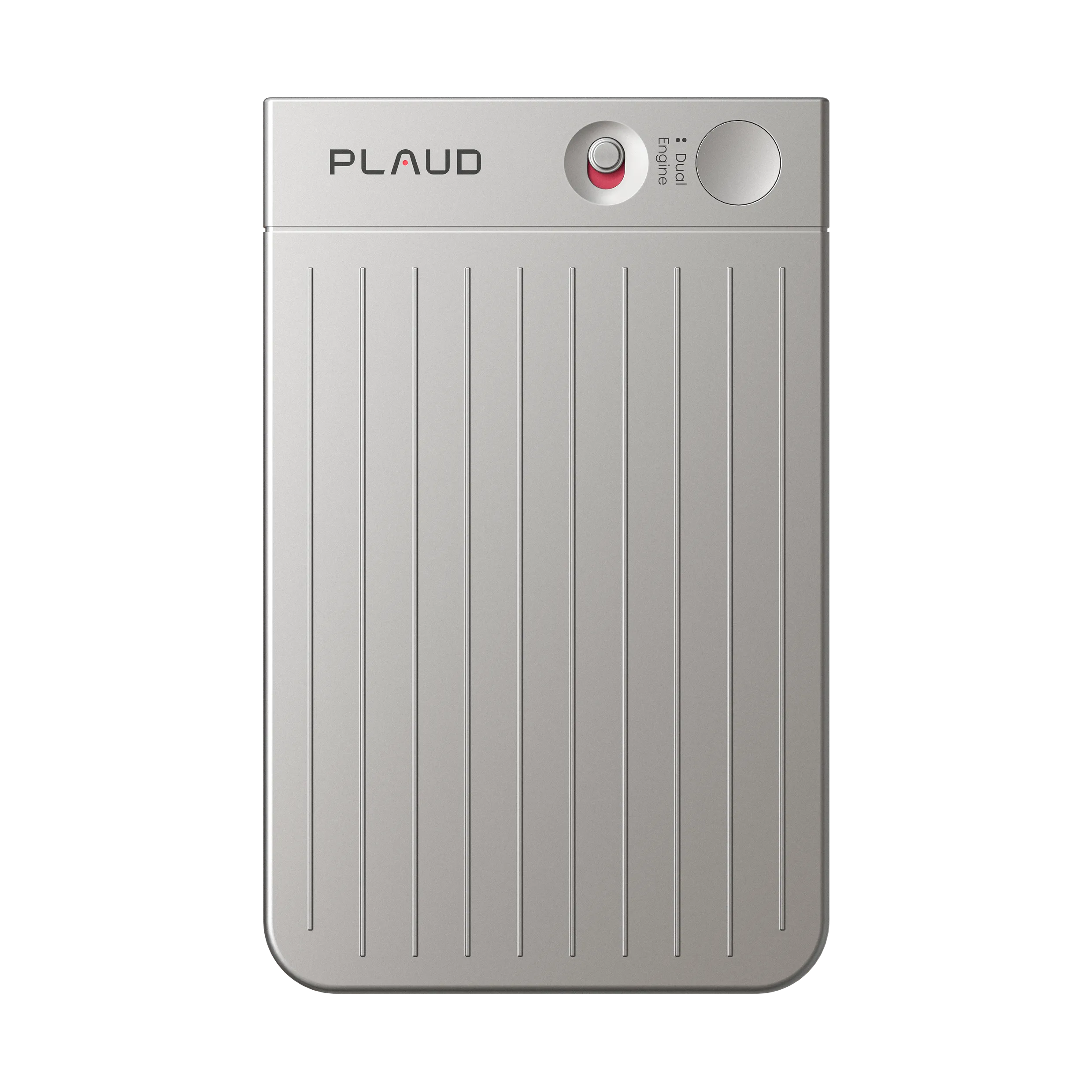

Real estate work can move from client meetings to city council sessions, Zoom calls, Google calls, GroupMe discussions, and Microsoft meetings in the same week. A real estate professional with a legal background may need to retrieve a spoken detail, check its wording, and answer a client without searching every platform again.
For an ADHD real estate professional, the best AI assistant keeps important meetings searchable, connects verified facts to the right client, and leaves a clear follow-up for review before it goes out.
This article compares Plaud Note Pro, Motion, ChatGPT, Claude, and Gemini for meeting capture, note review, scheduling, and client follow-up in an ADHD real estate workflow.
How we evaluated the AI assistants
We scored each tool by five questions:
- Can it reduce scattered meeting records across in-person and online sources?
- Can the user find a past meeting note when someone asks a follow-up question?
- Does it support a reviewed CRM record instead of creating a second client history?
- Does it reduce low-stimulation admin work after a long meeting?
- Does it preserve human review for punctuation, client facts, consent, and policy-sensitive communication?
Quick workflow comparison
| Tool | Best role | Real estate use case | What it helps with | Main remaining burden |
|---|---|---|---|---|
| Plaud Note Pro | Meeting capture layer | Client meetings, room discussions, and supported call capture | Creates one searchable meeting record across more settings | Needs consent, sync, review, and CRM transfer |
| Motion | Follow-up time protection | Processing notes after long meetings | Places review and follow-up into calendar time | Needs the task to be defined correctly |
| ChatGPT | Fast client-facing drafts | Short replies from verified notes | Turns checked facts into emails, texts, and call outlines | Needs the official client state supplied and checked |
| Claude | Long-context follow-up drafts | Longer meeting notes or complex explanations | Helps synthesize longer material into a careful draft | Still needs fact, policy, and CRM review |
| Gemini | Google-centered drafting | Gmail, Docs, Drive, and Calendar context | Reopens eligible Google context near the draft | Can diverge from the CRM record |
Best AI assistants for this real estate meeting workflow
Each AI assistant below handles a different handoff after a meeting. The rankings show where that assistant reduces attention switching and where a human still needs to check the record.
Plaud Note Pro: best for unified meeting capture
Plaud Note Pro is a physical AI note taker for real estate professionals who want one capture method across client meetings, room discussions, and supported phone-call situations.
Pros:
- Gives a meeting-heavy agent one Plaud record to search before jumping between Zoom, Google, GroupMe, and Microsoft histories.
- Works better than a wearable-only option when the user wants a visible desk or room recorder for longer formal conversations.
Cons:
- It still requires consent, sync, transcript review, punctuation cleanup, and CRM transfer.
If your meetings move between rooms and online platforms, one recording home means fewer searches, fewer forgotten exports, and less chance that an answer stays inside the wrong platform.
Plaud Note Pro also matches the formal side of this workflow. A real estate professional with a legal background may need to review a transcript, show it to a participant after permission, or pull an exact point from a public meeting.
Plaud Note Pro can create the searchable record, but the user still needs to check names, punctuation, quoted language, and whether a statement is safe to use in a client-facing message.
Use Plaud Note Pro when the main pain is scattered meeting capture across rooms, calls, and online sources.
Motion: best for protecting review time

Motion is most useful after the meeting record exists. It helps the real estate professional protect time to review transcripts, clean up notes, enter CRM facts, and prepare follow-up.
Pros:
- Turns note review and follow-up into calendar work instead of a vague intention.
- Helps reschedule admin blocks when client meetings and calls change the day.
Cons:
- It schedules the wrong work if the source note or CRM task is vague.
The note archive can grow quickly when every client meeting, city council meeting, and online call is recorded. The next risk becomes postponed review, leaving a useful record in another pile.
Motion works best when the task is specific: review the city council note for zoning mentions, update the Smith client record, or prepare tomorrow’s client response from the Plaud Note Pro transcript. The agent still defines the task and confirms completion in the CRM or brokerage-approved system.
ChatGPT: best for short follow-up drafts

ChatGPT works best when the agent has a verified note packet and needs a fast email, text, or call outline. It should draft from checked facts supplied in the note packet.
Pros:
- Helps start short client messages after the source note has been reviewed.
- Can produce several tone options when the agent knows the facts but feels stuck writing.
Cons:
- The agent must maintain the official client record and identify the authoritative meeting note.
Keep the prompt small and controlled: client name, property, confirmed question, meeting source, promised next step, and any uncertain detail to avoid. Ask for a draft that labels assumptions instead of smoothing them away.
ChatGPT handles drafting after review. Legal wording, disclosures, transaction deadlines, and public-meeting interpretation require qualified human judgment. The brokerage-approved record remains the place where the client state lives.
Claude: best for longer meeting synthesis

Claude is the stronger AI assistant for drafting when the source material is longer: a public meeting transcript, a long client consultation, or a chain of notes that needs a careful explanation.
Pros:
- Helps turn longer meeting material into a structured summary and client-ready draft.
- Can separate confirmed facts, open questions, and wording that needs professional review.
Cons:
- The user still needs to verify the transcript, punctuation, and real estate or legal boundaries.
Nuance matters in legal-adjacent real estate work. A short model draft may flatten a condition, deadline, or public-meeting statement. Claude can help organize the material, but the user should still check the source before treating the output as a formal record.
Claude is worth using when the note is too long for a quick text but still needs to become a clear client explanation. For a simple appointment reminder, it may add more steps than needed.
Gemini: best for Google-centered communications

Gemini makes the most sense when the real estate professional already works inside Gmail, Docs, Drive, and Calendar. It can help reopen eligible Google context near the place where the follow-up is drafted.
Pros:
- Keeps Google communication, calendar, and document context close to the draft.
- Helps when meeting notes need to become a Gmail reply or Google Doc summary.
Cons:
- Google context can become a second client history beside the CRM if the agent does not reconcile it.
If Google calls sit alongside other meeting sources, Gemini can help when the source material and outgoing communication already sit in the Google account. Compare the draft with the brokerage-approved record and the original meeting record.
Do not let Google documents become the unofficial CRM. If Gmail says one thing and the CRM says another, resolve the client record before sending.
Recording consent, disclosures, and human support
Tell participants when recording is proposed and obtain the consent required by applicable law, brokerage policy, platform rules, and the situation. Limit who can access the recording and how long it is retained. Do not place sensitive financial or personal details into a tool that the brokerage has not approved.
AI can organize meeting notes and draft a message. It should not independently complete disclosures, interpret legal duties, or control transaction deadlines. A licensed agent, broker, attorney, lender, or transaction coordinator may need to handle those parts. Human support is part of a reliable transaction.