
An ADHD executive can make a fast decision during a high-energy conversation, then lose the employee name, promised follow-up, or completion status when the next request arrives.
Working memory has to switch from a hallway conversation to a manager call, a stand-up, or a formal meeting. By the end of the day, time-blindness and low-stimulation review make the first commitment easy to miss.
This review compares four AI assistants for that exact operating problem. Each section shows which ADHD friction the assistant may reduce and which owner, manager, or secretary still has to confirm.
How we evaluated executive AI assistants
We used the same day-end test for every tool. A business owner finishes a day of employee requests, manager calls, a morning stand-up, and occasional board or HOA work while moving between teams.
They need to recover each confirmed decision, identify the owner, separate their own work from delegated work, and give every open item a deadline or review date.
- The first check is source recovery. Can the owner reopen the meeting, email, document, or decision record behind the item?
- The second is classification: proposal, approved decision, delegated task, or personal task.
- The third is reappearance. Does the item return when review is needed, even after the topic leaves attention?
Quick comparison
| Tool | Primary role | Decision capture | Delegation tracking | Calendar protection | Cross-meeting memory | Team sharing |
|---|---|---|---|---|---|---|
| Microsoft Copilot | Microsoft 365 context | Eligible Teams recap and files | Proposed actions require review | Uses Microsoft work tools | Eligible Microsoft context | Tenant permissions |
| Gemini Workspace | Google Workspace context | Eligible Meet notes and files | Proposed actions require review | Uses Google Calendar context | Eligible Google context | Workspace permissions |
| Plaud NotePin S | Wearable spoken capture | Consented source across rooms and formal meetings | Action candidates require review | Separate system required | One wearable source across a moving workday | Account and record controls |
| Notion AI | Leadership decision log | Confirmed records entered in Notion | Database owner and status | Calendar layer may be separate | Maintained workspace history | Page and teamspace access |
Best AI assistants for executives with ADHD
Microsoft Copilot: best for Microsoft 365 executives

Microsoft Copilot suits an owner whose meetings, messages, and working documents already sit in Microsoft 365. In eligible Teams meetings, recap and Copilot features can help recover key points and proposed follow-up tasks. Outlook and Word keep the next communication close to that source.
Pros:
- Keeps meeting, email, and document context close together.
- Gives the owner or operations lead a recap to verify.
Cons:
- Depends on tenant settings, licensing, and meeting policy.
Open each eligible meeting recap, ask for decisions and proposed owners, then compare the result with the transcript, chat, and relevant document. After calls with managers, HR, or finance, the owner confirms which statement became a decision, whether the named person accepted the assignment, and what review date brings it back. The confirmed item then moves into the team’s task and review practice.
This reduces switching inside a Microsoft organization, while governance still depends on the owner and team. Licensing, transcription, meeting policy, tenant configuration, and permissions affect what is available. Microsoft Copilot works well when Microsoft 365 is already the operational record. It covers less when key discussions happen in hallways, offline meetings, or other platforms.
Cost note: Microsoft 365 Copilot depends on eligible licensing, tenant configuration, and administrator approval. Confirm the organization’s current plan and meeting policy before relying on it for executive records.
Gemini Workspace: best for Google Workspace executives

Gemini Workspace is the comparable choice for owners whose meetings and documents live in Google Workspace. Eligible Google Meet note-taking can organize notes in Google Docs and place a recap link in the meeting’s email and Calendar event, which gives the owner a source to reopen after several conversations.
Pros:
- Reopens Meet, Gmail, Docs, and Calendar context together.
- Helps prepare a team-grouped decision list.
Cons:
- Covers less when leadership work leaves Google Workspace.
At day end, the owner can review the Meet note, related Gmail thread, and working Doc, then prepare a team-grouped decision list. The owner still confirms the formal decision, manager or employee owner, deadline, and review date. A generated action item remains a proposal until the responsible person accepts it.
Gemini Workspace works best when the source material is already in the correct Google account and sharing structure. Eligible plans, administrator settings, language support, and access rules affect the result. If leadership work spans other meeting systems and offline rooms, the Google context will cover only part of the day.
Cost note: Gemini Workspace availability depends on the Google Workspace edition, administrator settings, and account permissions. Confirm the current plan before assigning it as the executive’s main meeting source.
Plaud NotePin S: best for capturing decisions across a moving workday
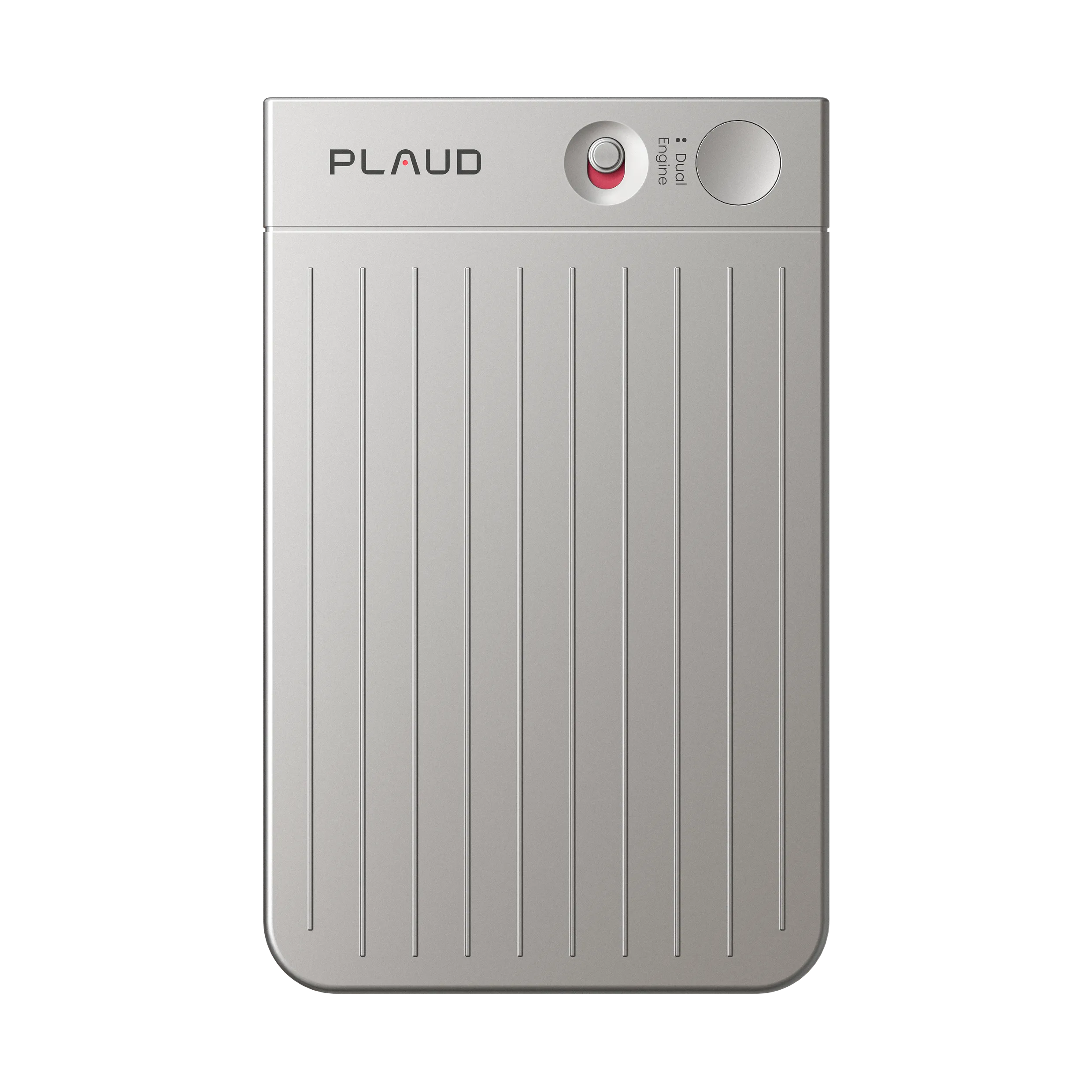
Plaud NotePin S is a wearable AI note taker for a business owner who moves between employee conversations, manager calls, and formal meetings. With participant notice and applicable consent, it keeps a spoken source available while the owner is away from a desk or phone.
That fit matters when the owner spends much of the day walking between teams and cannot prepare a phone app before a hallway request. Wearing the device throughout the workday, repeating names aloud, and using Plaud for offline conversations while Fathom covers eligible online meetings keeps each request tied to a source.
Pros:
- Captures employee requests and decisions during walk-throughs, calls, and meetings.
- Lets the owner retrieve a source when a promised follow-up or meeting detail is questioned later.
Cons:
- Still needs human confirmation and transfer.
The owner can repeat an employee’s name during the conversation, review the synced record later, and identify the request, assigned person, and action candidate. At day end, the records support a review of promises made in hallways, manager calls, and formal meetings. The source lets the owner check whether a sentence was an idea, a commitment, or an instruction before moving it into a task system.
Plaud NotePin S records the conversation, while the owner or operations lead confirms whether a manager accepted an assignment or a later conversation completed it. They then verify the status, owner, date, and sharing scope before transferring the item into the task system. Its physical control should be easy to feel and check before a recording starts. The user still reviews long recordings and confirms the correct segment.
Notion AI: best for an existing leadership decision log

Notion AI works best after the organization has already decided that Notion is the approved home for operating decisions and formal minutes. Its workspace search, database tools, and permission-aware retrieval can help an owner find an older decision, compare it with today’s discussion, and reopen the record at a board or HOA review meeting.
Pros:
- Makes delegated decisions searchable by status and owner.
- Helps reopen older rationale before review.
Cons:
- Stale databases can look more official than they are.
The minimum record should include status, decision, rationale, owner, deadline, review date, source, and current outcome. For board or HOA minutes, the record also needs the motion, second, vote, and result. At day end, the owner updates only confirmed items. Later, a team or status view can show delegated work waiting for review, so the owner can inspect a manager’s result instead of rebuilding the task.
The weakness is maintenance. If nobody owns the decision log, stale records can look more authoritative than they are. Notion AI can help create, search, and summarize database content, but the owner or secretary still controls official status, formal motions, votes, and cancellation. Choose it for an existing, maintained decision practice, not as a new database project after every meeting.
Cost note: Notion AI depends on workspace plan, AI access, search coverage, and sharing controls. Confirm those details before making it the leadership decision log.
Build the decision-delegation-review loop
Use one short process after each operating conversation.
1. Separate what you own from what you delegated
Create distinct views for owner work and delegated work. If a manager owns the task, the owner’s item is “review the manager’s result tomorrow,” not a duplicate of the manager’s task. That distinction reduces unnecessary rework and makes the handoff visible.
2. Put the review date on the calendar
Use the delivery deadline together with a short review before the result is needed, with the source and owner attached. A calendar block can protect the time, while Microsoft, Google, Plaud NotePin S, or Notion can supply the reviewed context.
Working with managers and the leadership team
Decide who performs each confirmation. The meeting owner can classify the decision. The manager can accept the owner and deadline. An operations lead or secretary can maintain the review date and verify that the official log matches the source. The owner remains responsible for the decision.
Give the team a short meeting-close window when the schedule allows it. The meeting owner reads back the decision, delegate, expected result, and review date. The delegate corrects any mismatch before the group leaves. When back-to-back scheduling removes that window, flag the item as proposed until confirmation arrives.
Restrict each record to the people who need it. Personnel, legal, financial, and acquisition discussions may require separate access and retention rules. Review generated summaries before sharing them across teams, and use organization-approved accounts, licenses, and storage. A consolidated day summary should not flatten the permissions that applied to the original meetings.